 Oqiva
Features
Everything Oqiva does today, in plain words. The pictures are real screenshots of the app.
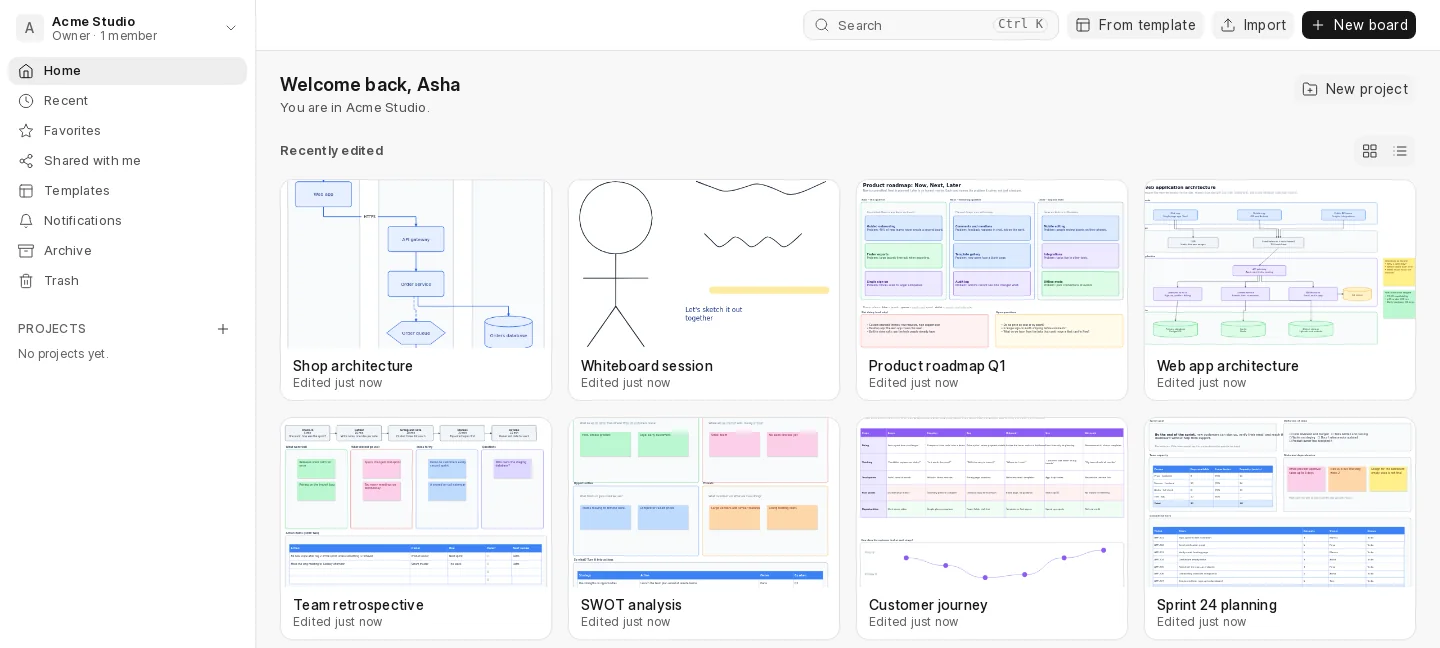
Boards, projects and workspaces
Keep work organised the way your teams already think: a workspace for each team or client, projects inside it, boards inside those.
- Workspaces with owners, admins, members and guests, plus a personal workspace for everyone
- Projects to group boards, or boards at the top level
- Recent, Favorites and Shared with me to jump back to what you were doing
- Search board names and comments with Ctrl + K
- Duplicate, move, archive, or send to the Trash, which keeps boards for 30 days by default
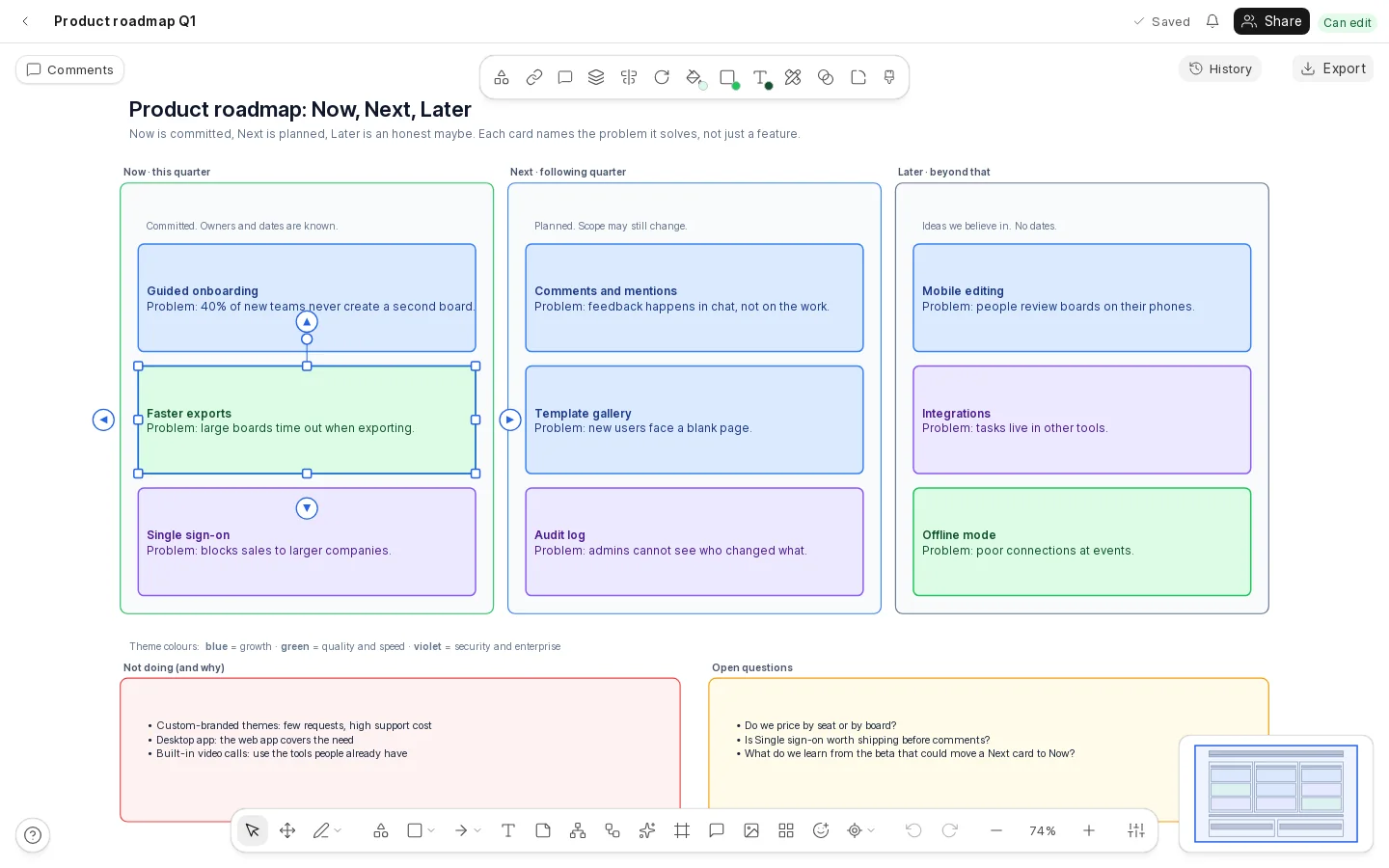
A canvas built for diagrams
The editor is written for this app, so what diagramming needs (attached arrows, tidy alignment, big boards) works the way you expect.
- Infinite canvas, or fixed page sizes for slides and printing
- Shapes and a shape library for flowcharts, software design, wireframes and more
- Text, sticky notes, tables, icons, emoji and pictures
- Frames to name sections; moving a frame carries what is inside it
- Connectors that stay attached and follow shapes when they move
- Snapping guides, grouping, alignment and spacing tools, copy and paste
- Undo that always undoes your own last step
- Mouse, touch (pinch to zoom) and pen (pressure is respected)
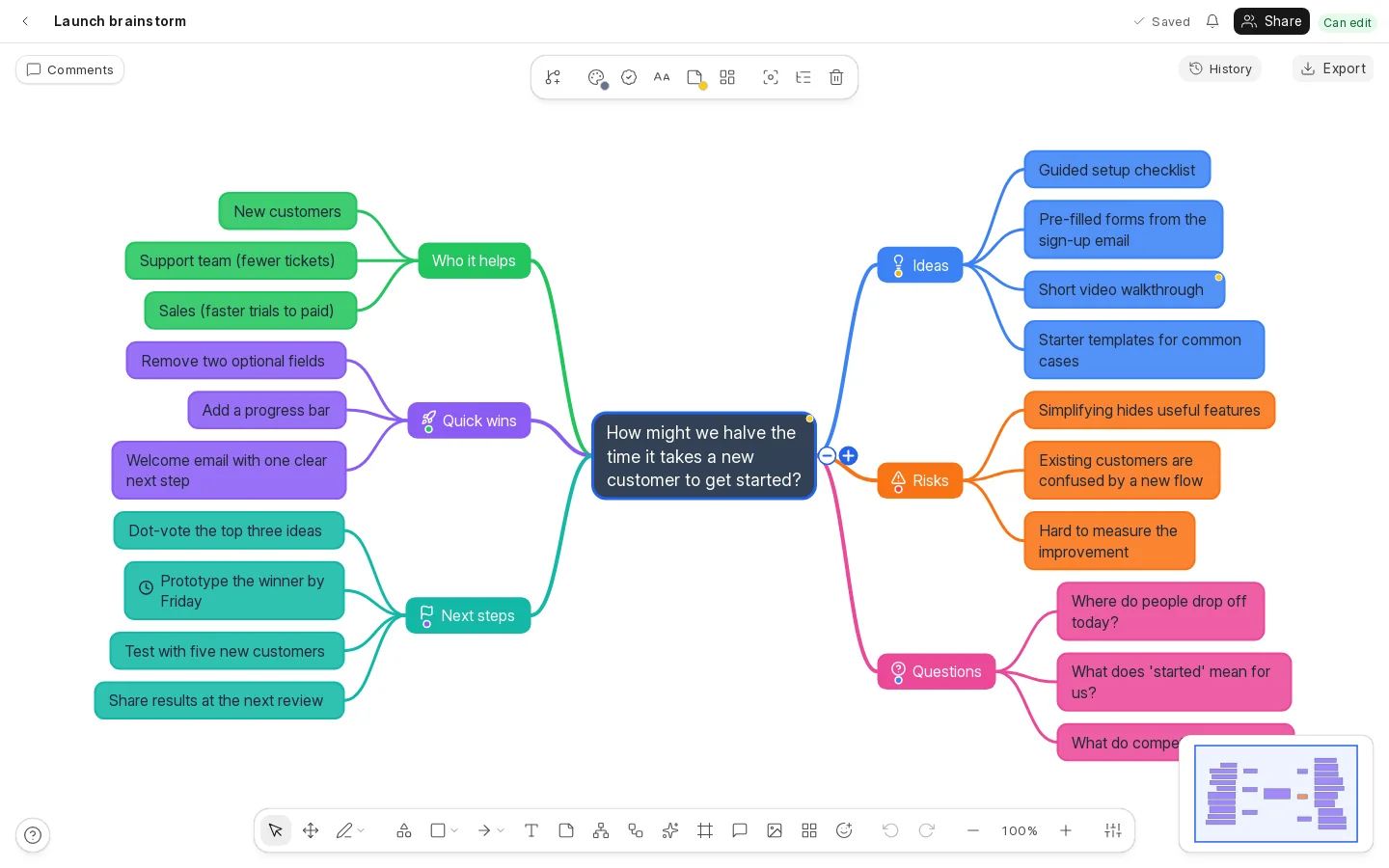
Mind maps
A mind map is a tree, and Oqiva treats it like one: it arranges itself, and each node knows its parent.
- Add a child with Tab, a sibling with Enter, move up a level with Shift + Tab
- Walk the tree with the arrow keys; fold and unfold branches
- Drag a node to move it to a new parent or a new place among its siblings
- Colours for branches, markers and icons, notes, cross-links between branches
- An outline panel that shows the map as an editable indented list
- Paste an indented or bulleted list and it becomes a map
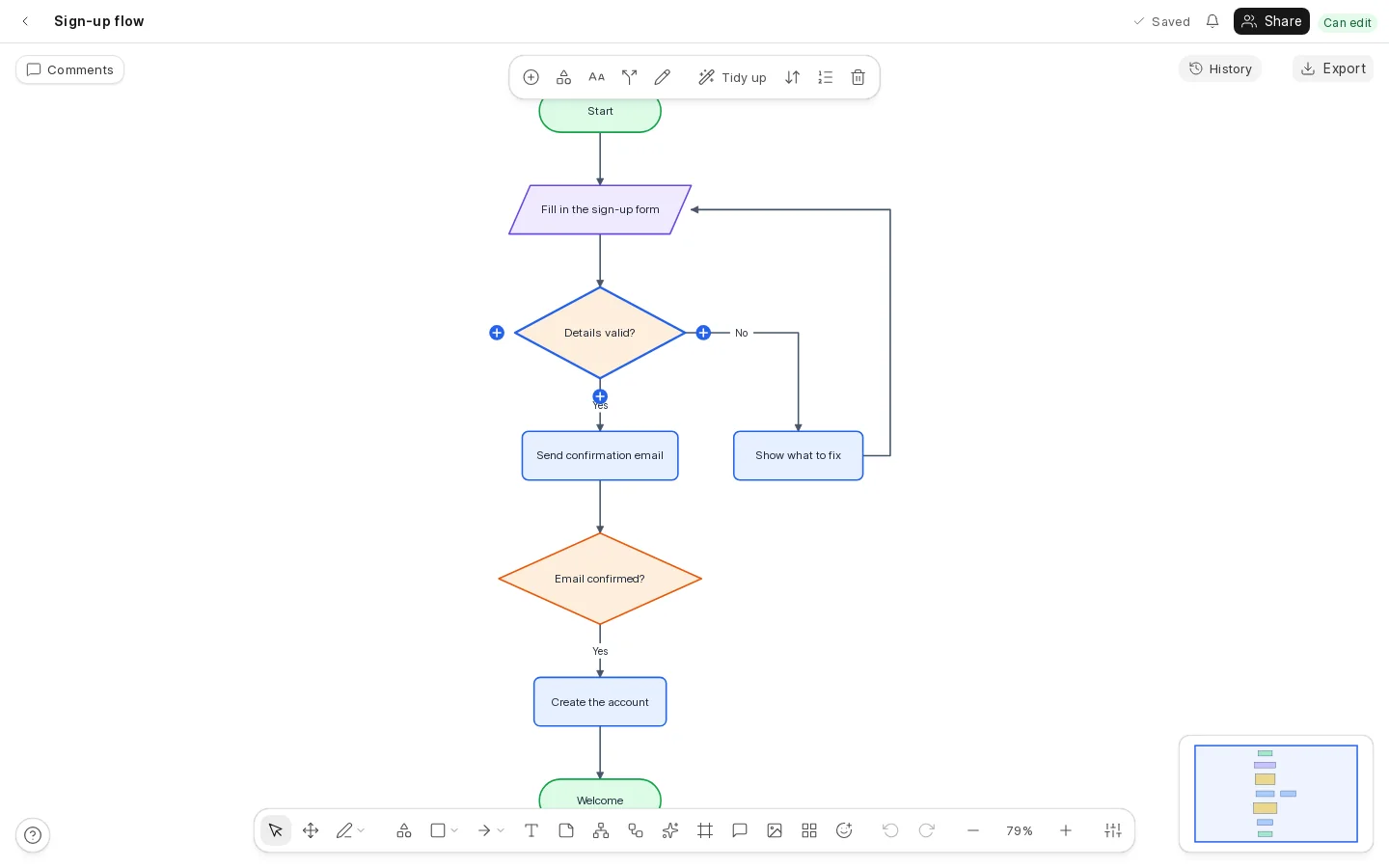
Flowcharts
Describe the process and Oqiva keeps it tidy.
- Start or end, process, decision, and input or output steps, and junctions
- Enter adds the next step, D a decision, and you can insert a step into the middle of an arrow
- A decision’s outputs are named Yes, No, Option 3… and can be renamed
- Arrows are routed for you and keep clear of other steps
- Tidy up re-lays the whole chart in one undo step; top-to-bottom or left-to-right
- Optional step numbers, and drag any step where you like
Whiteboard tools
Sometimes you just want to sketch.
- Pen and highlighter with your choice of colour and width, and pressure-sensitive strokes with a stylus
- An eraser that either cuts strokes or removes whole objects
- A laser pointer that everyone on the board can see and that is never saved
- An optional hand-drawn look for shapes and lines, for the whole board or one shape
Live collaboration
Everyone on a board sees the same thing at the same moment.
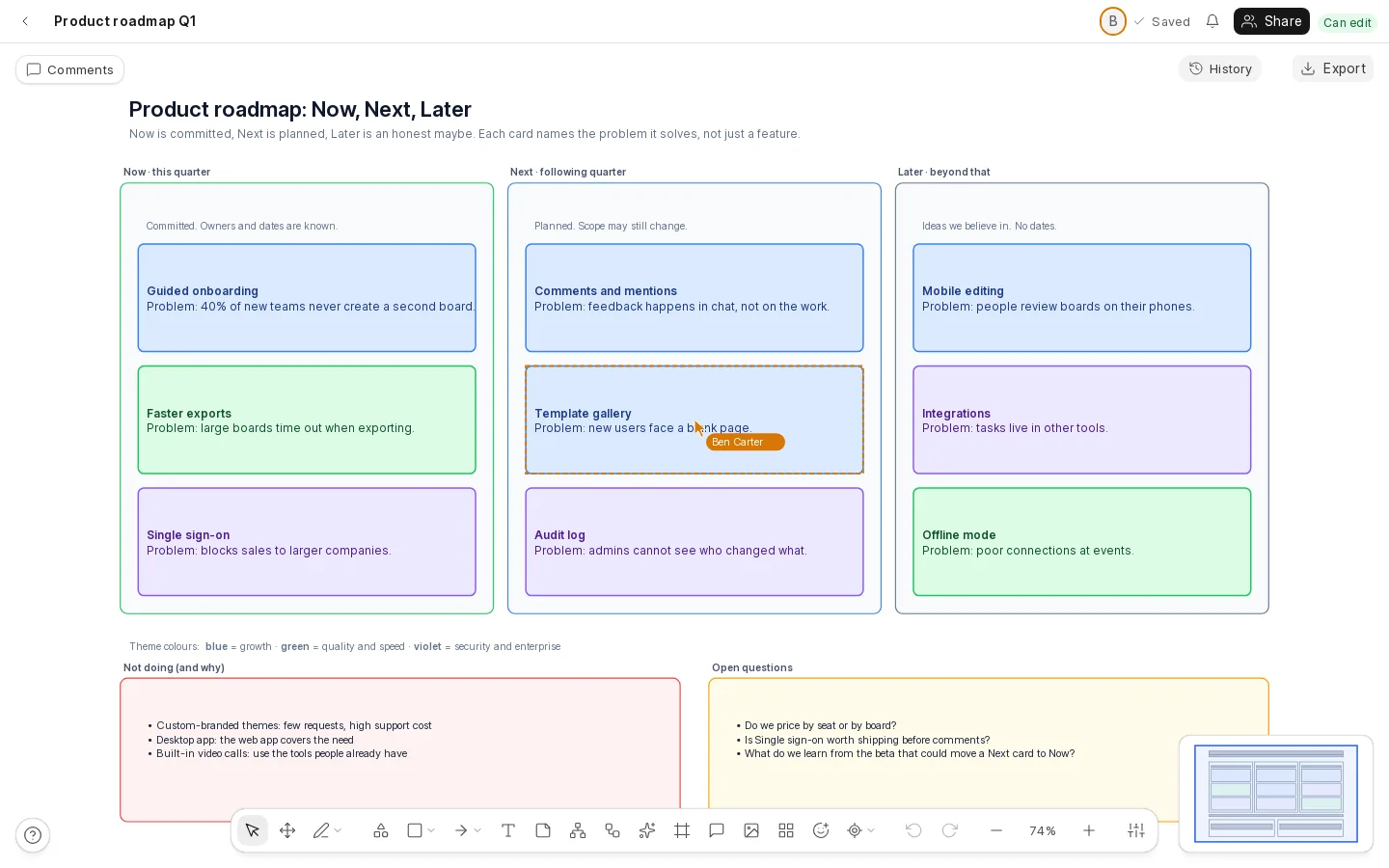
- See who is on the board, with pointers and selections in their own colours
- Moves, edits and drawings arrive as they are made
- Two people editing at once never overwrite each other: changes merge
- Lose your connection and keep working: changes are kept on your device and merge when you are back
- Saved automatically, and the top bar shows when it has been
Sharing and access
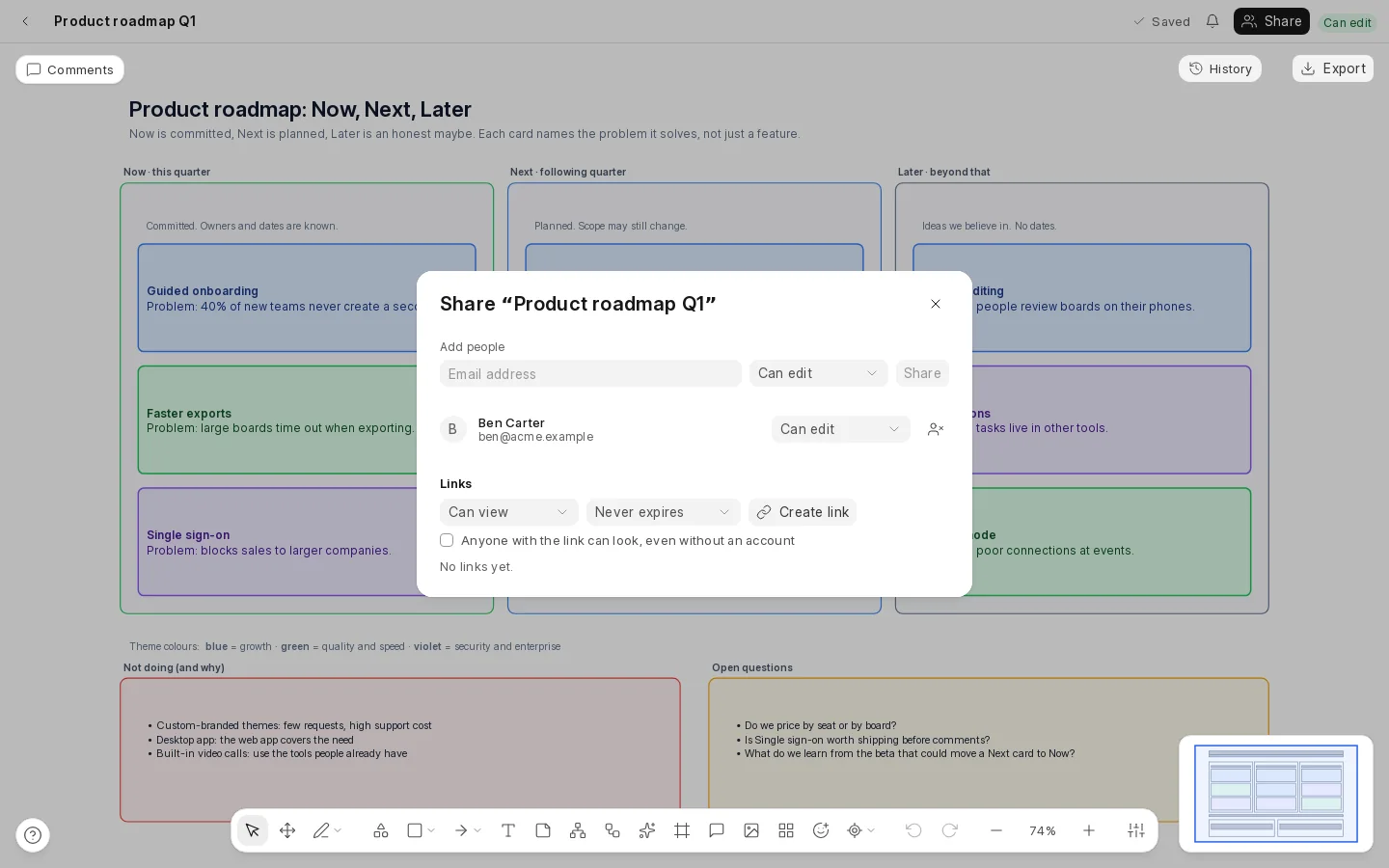
Decide exactly who can do what, and change your mind at any time.
- Share with people by name or email as can view, can comment or can edit
- Invite someone who has no account yet; they get access when they join
- Links for anyone who has them, with an expiry, and an option to let people look without signing in
- A link’s secret is shown once and can be revoked at any moment
- Taking access away works at once, even if the board is open
Comments and notifications
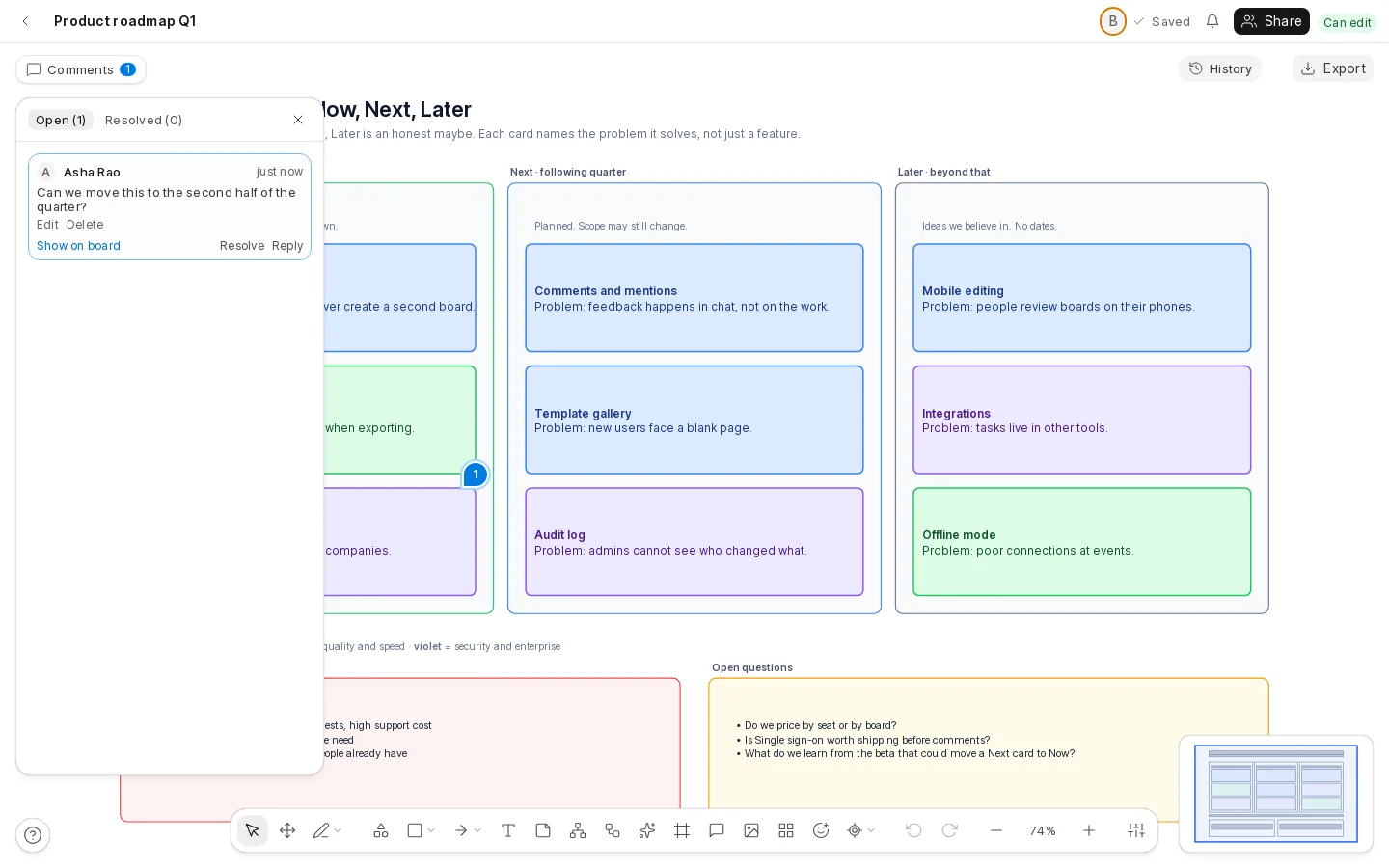
Talk about the work on the work.
- Pin a comment to a shape or to any place on the board
- Mention people with @ and they get a notification
- Threads, replies, resolve, and tabs for open and resolved
- Pins follow their shape and tell you if it has been removed
Version history
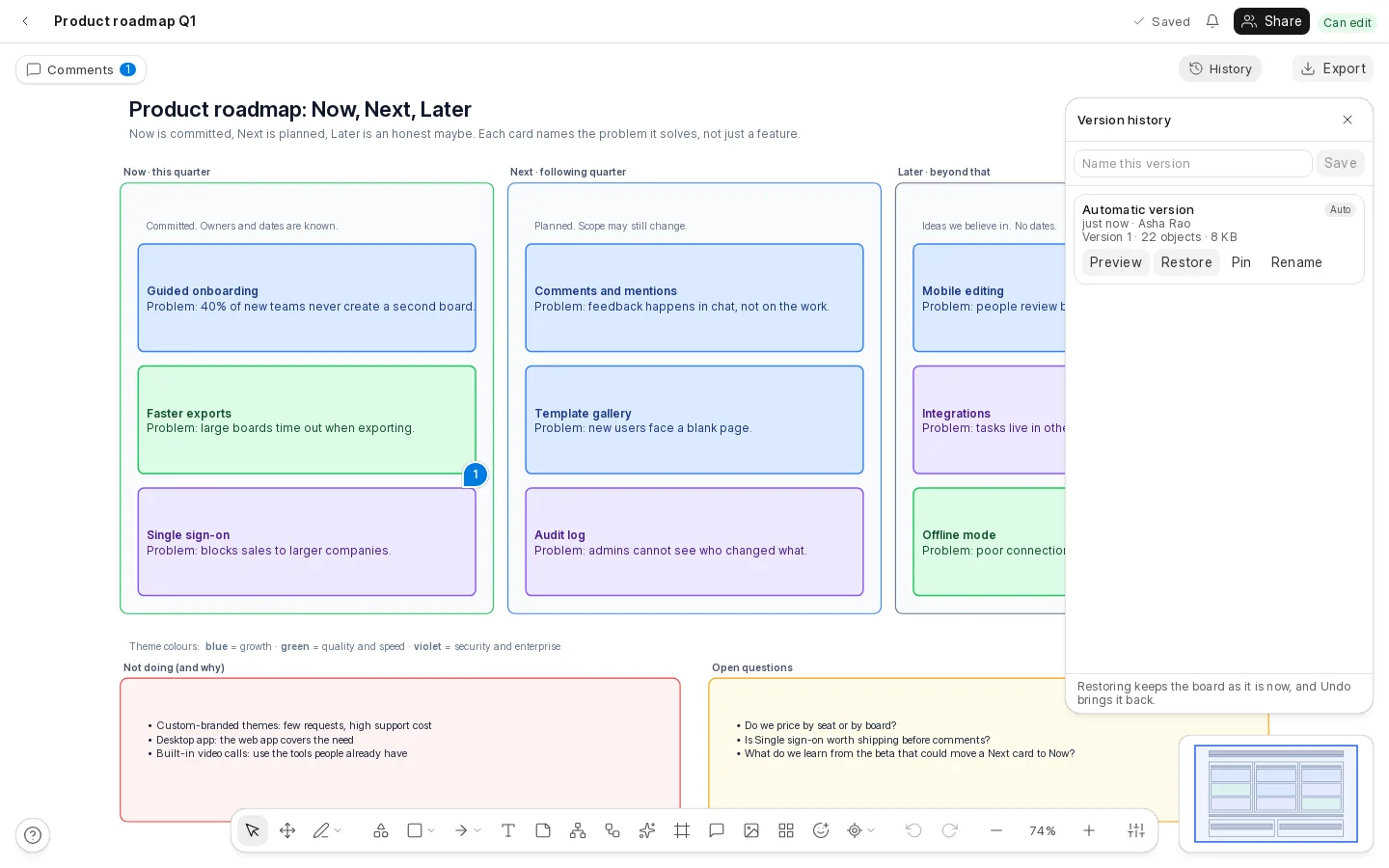
Never be afraid of a big change.
- Versions are kept automatically as you work
- Save a named version before a big change; pin the ones you never want removed
- Look at an older version without changing anything
- Restore one with a click. Restoring is a single step you can undo
Templates
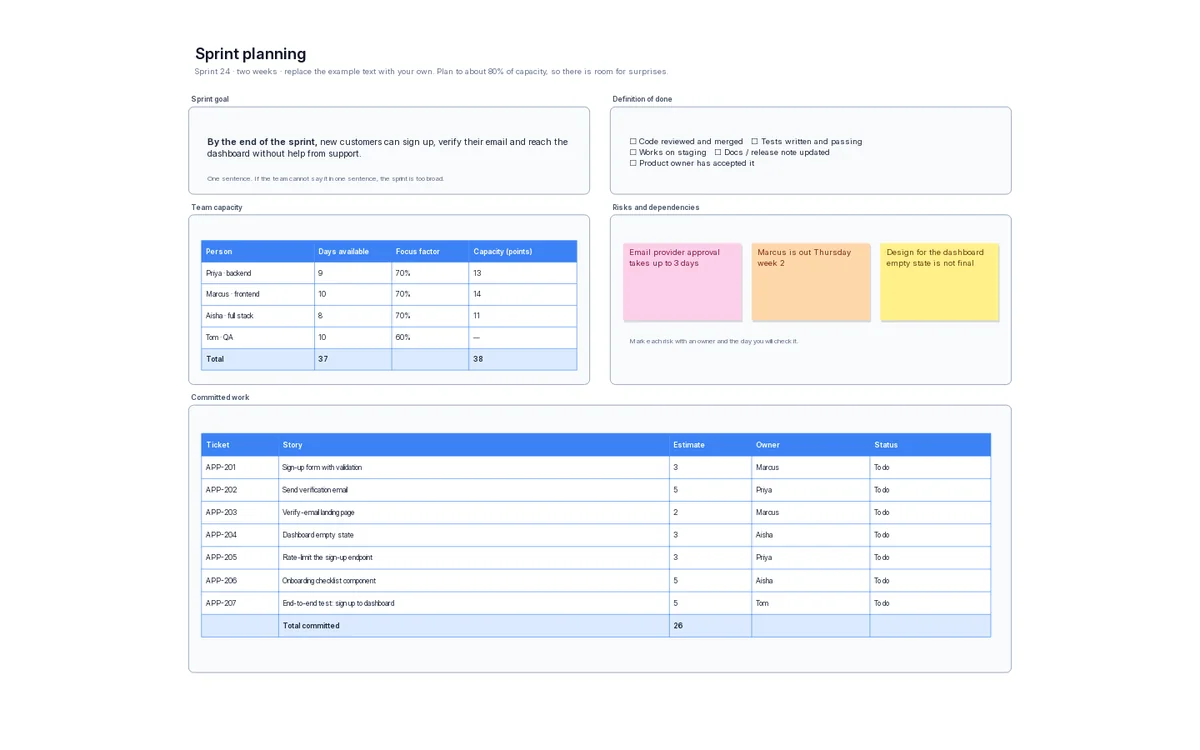
About forty ready-made boards give you a head start. Each becomes your own copy.
- Planning: product roadmap, sprint planning, weekly planning, OKR tree, project charter, launch checklist
- Teams: retrospective, brainstorm, meeting notes, SWOT analysis, empathy map, prioritisation matrix
- Product and design: customer journey, user story map, sign-in, dashboard and mobile wireframes
- Engineering: web app architecture, microservices map, data pipeline, ER diagram, network topology, incident response
- Process: purchase approval, support escalation, bug triage, decision trees
Export and import
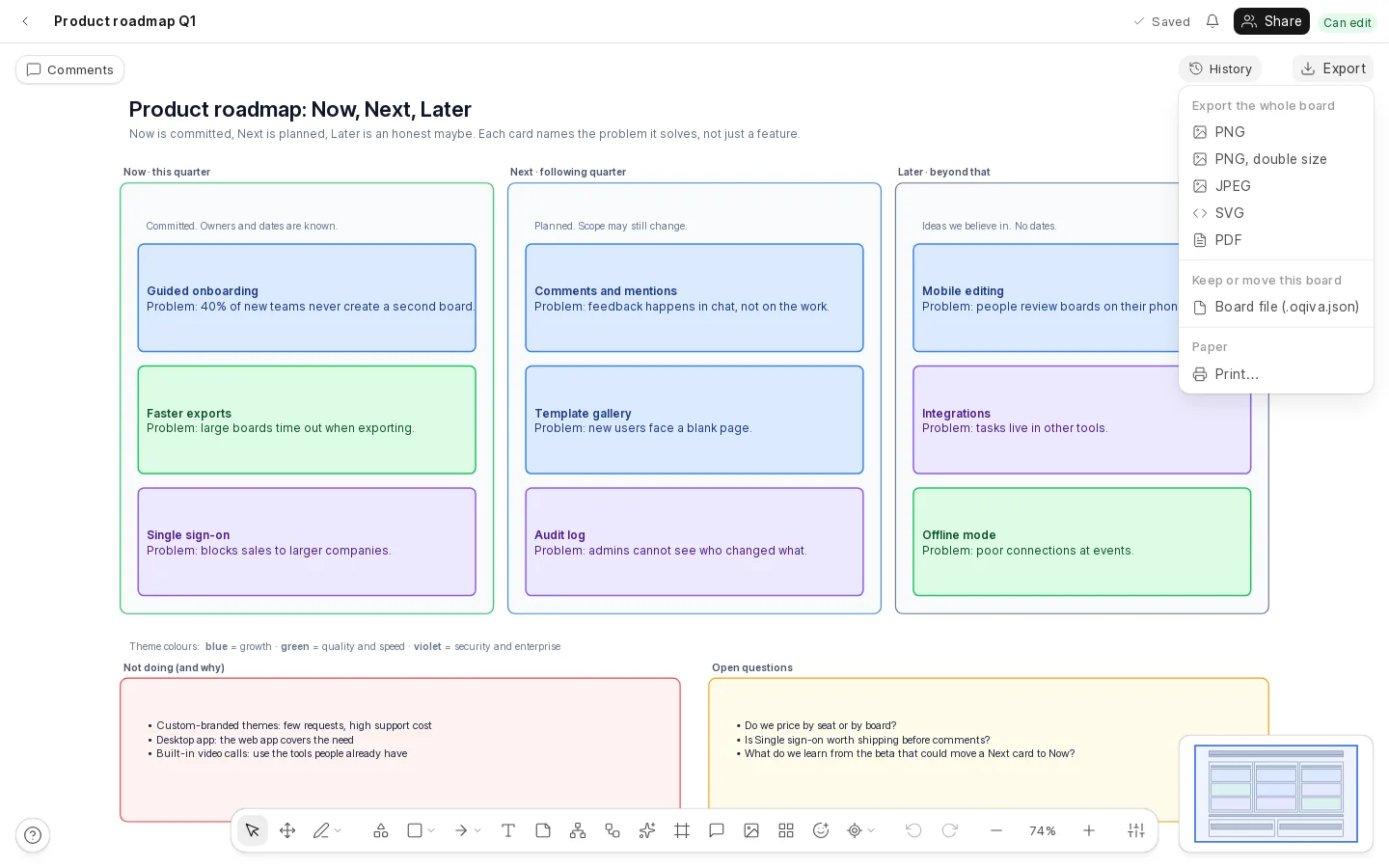
Get your work out in the format the next person needs.
- A whole board or only your selection as PNG (also double size), JPEG, SVG or PDF
- Print straight from the browser
- Save a board as an
.oqiva.jsonfile and import it as a new board anywhere - Exports never contain links to your private files
AI diagram generation
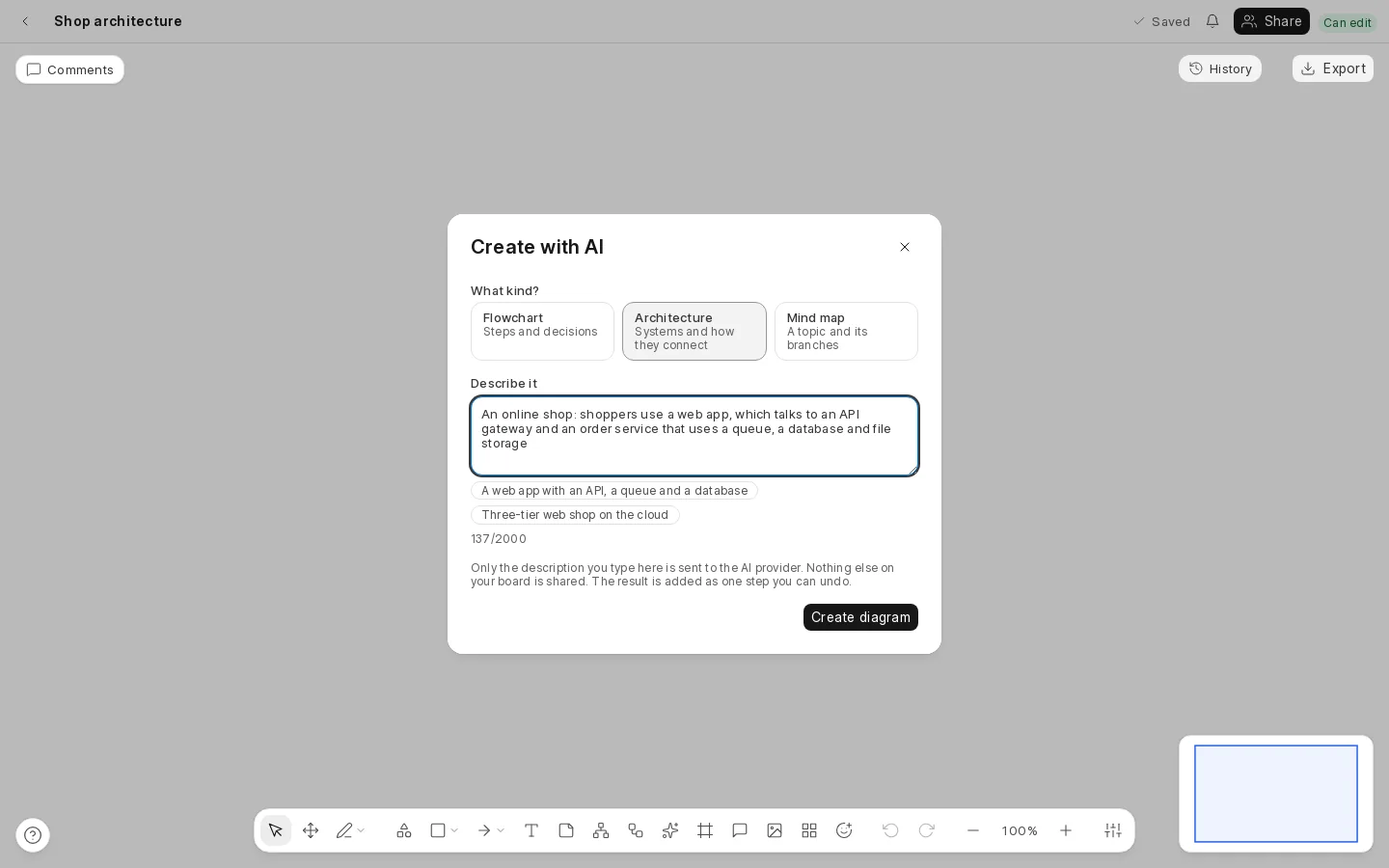
Describe what you need and get a first draft in seconds.
- A flowchart, an architecture diagram or a mind map, from up to 2,000 characters of description
- Drawn in free space on your board with the editor’s own layout, as one undo step
- Your administrator chooses the provider (Anthropic or Google Gemini) and adds the key; it is off until they do
- Only the text you type is sent. Nothing else on your board is
- An unusable answer is rejected whole, so you never get half a diagram
- Each person is limited to ten requests a minute
Security and privacy
Being careful is the default.
- Every permission is checked on the server, never only in the browser
- Someone with no connection to a board is told it does not exist, not that it is forbidden
- Pictures are private files that only people who can see the board can fetch
- Share-link secrets are stored only as hashes, and links can be revoked
- Rate limits protect exports, uploads, link redemptions and AI requests
- An audit log records exports, link use and AI requests, never the text of a prompt
- Your boards stay in your own database on your own server
For administrators
Run it like any other Frappe app.
- Installs with
bench get-appandbench install-app - Limits you can change: objects per board, board size, boards per workspace, picture storage, retention
- Roles for people who use Oqiva and for administrators; people get access through workspaces and shares, not Desk
- Scheduled housekeeping for old versions, the Trash and the audit log
- Backs up and restores with your site, and removes itself cleanly if you uninstall it
- Live editing uses Frappe’s socket server; AI generation uses its background workers
Accessibility and devices
A tool is only useful if people can use it.
- Every control is labelled and reachable from the keyboard; dialogs keep and return focus
- Text is checked against WCAG AA contrast, and the interface works down to a 320 px wide screen
- On phones and narrow windows the sidebar becomes a drawer
- Shortcuts for nearly everything, listed any time with ?
Missing something you need?
Tell us at support@oqiva.in. Real requests shape what we build next.