 Oqiva
Think together on one canvas.
Oqiva is a shared whiteboard for diagrams, flows and ideas. Draw, map and plan with your team in real time, and keep every board on a server you control.
Open source (MIT) on GitHubRuns on your own serverNo tracking
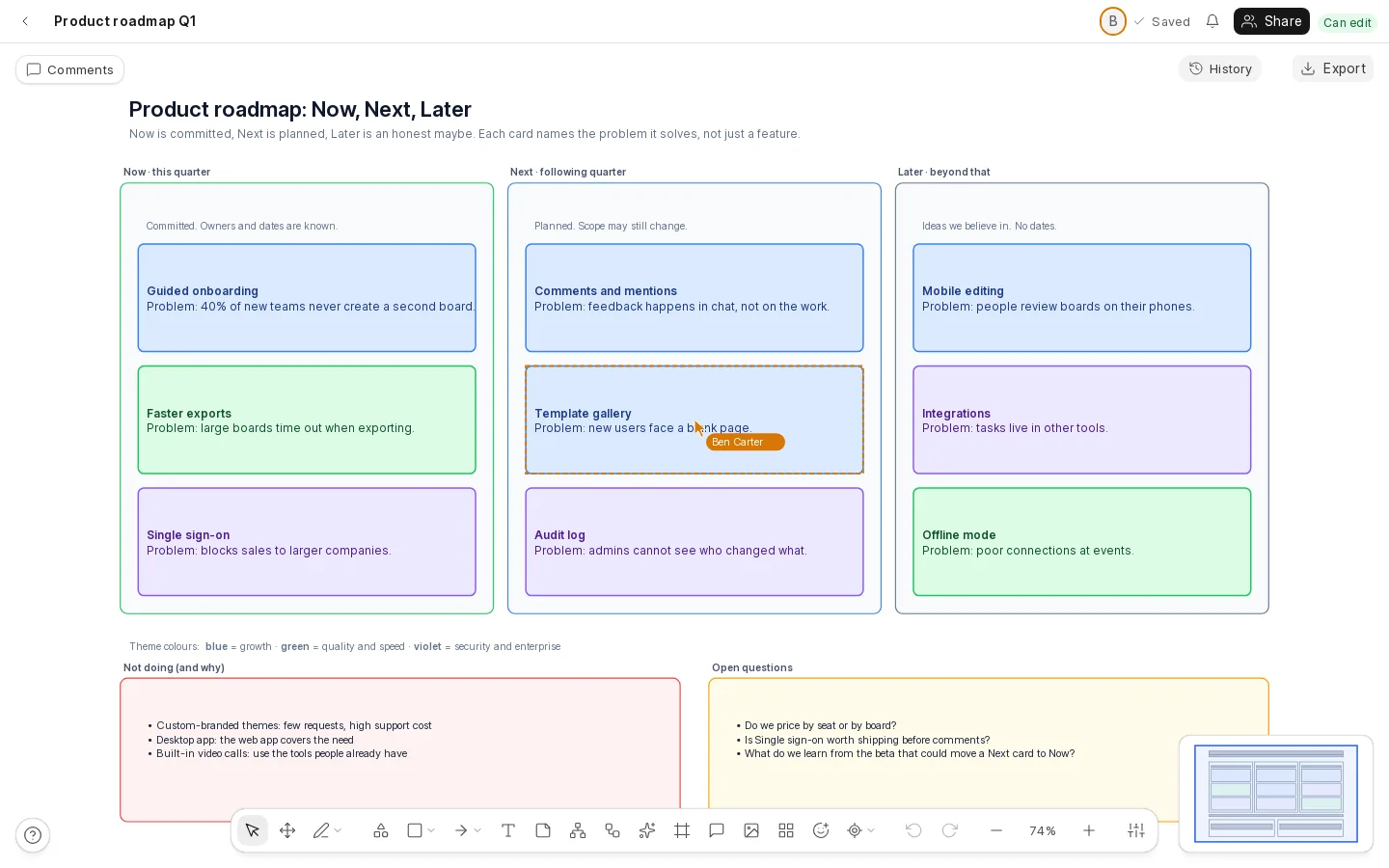
Make anything you would sketch on a wall:
- Roadmaps
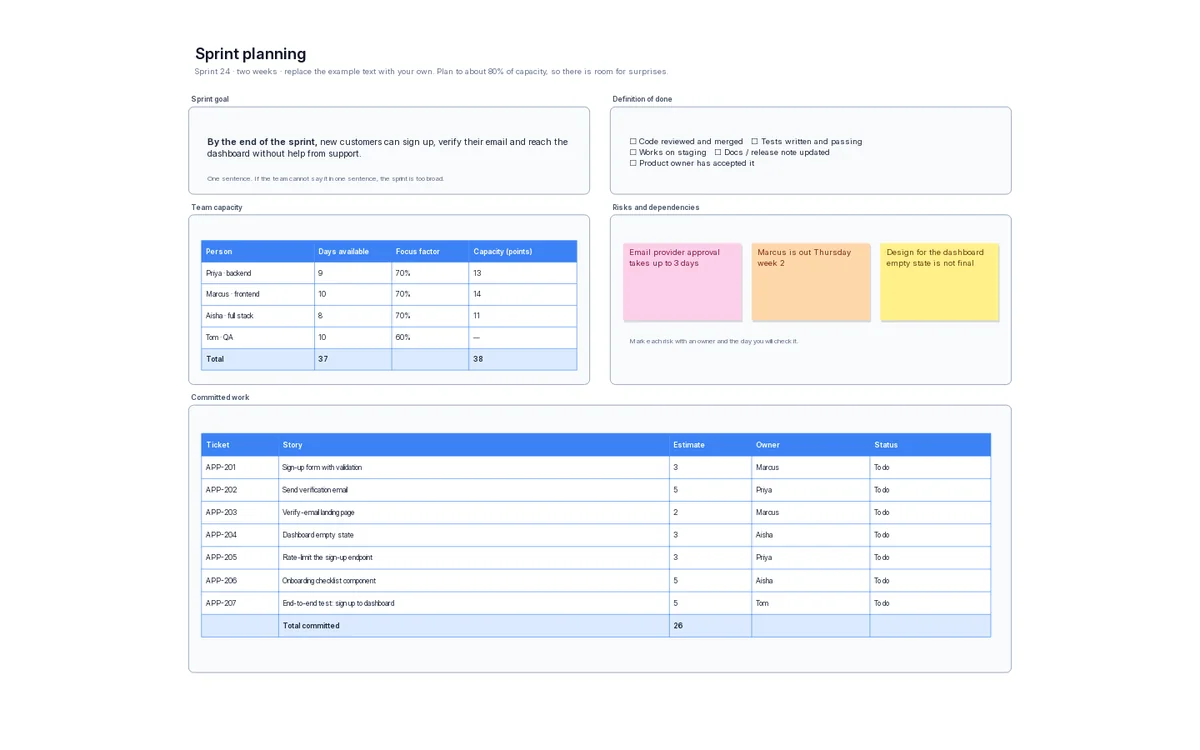
- Sprint planning
- Retrospectives
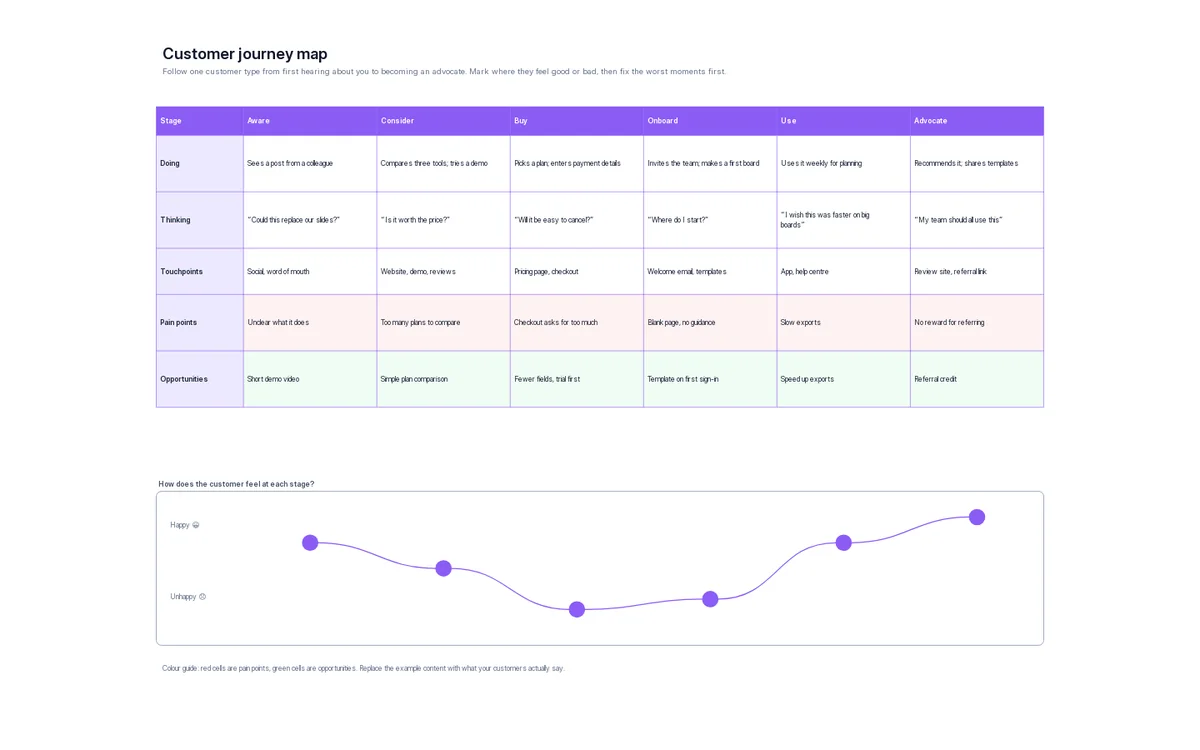
- Customer journeys
- Mind maps
- Flowcharts
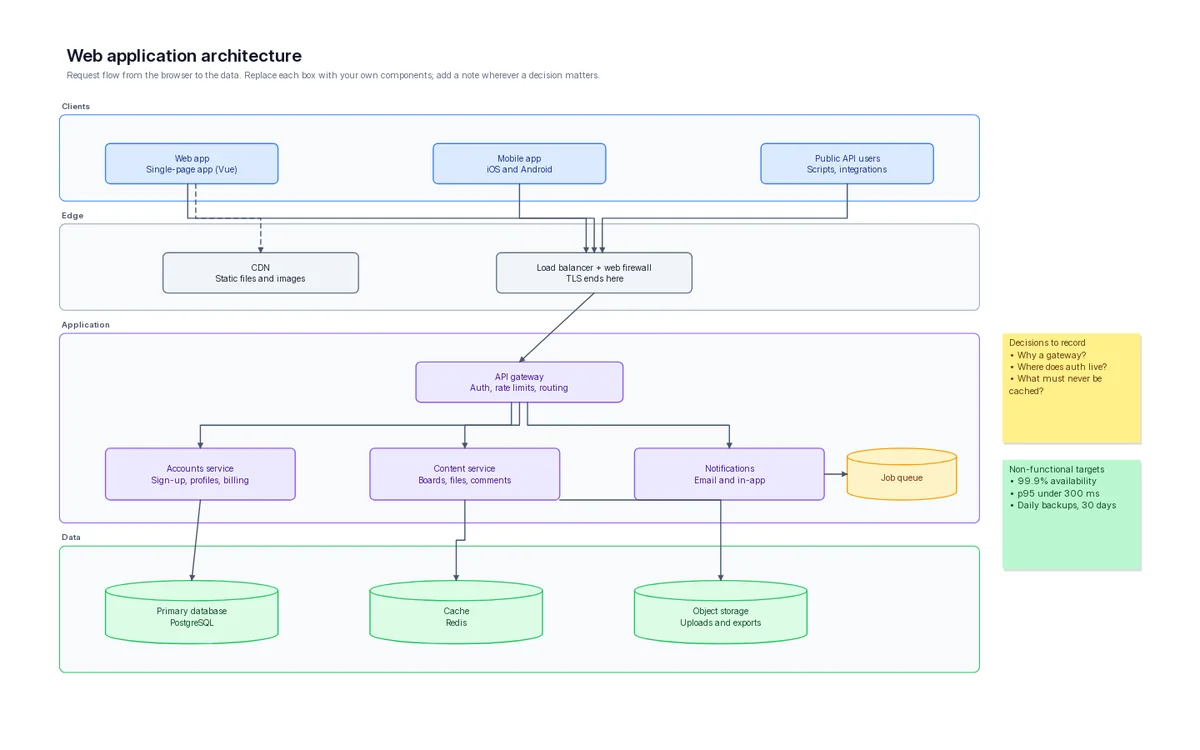
- Architecture maps
- Wireframes
- Org charts
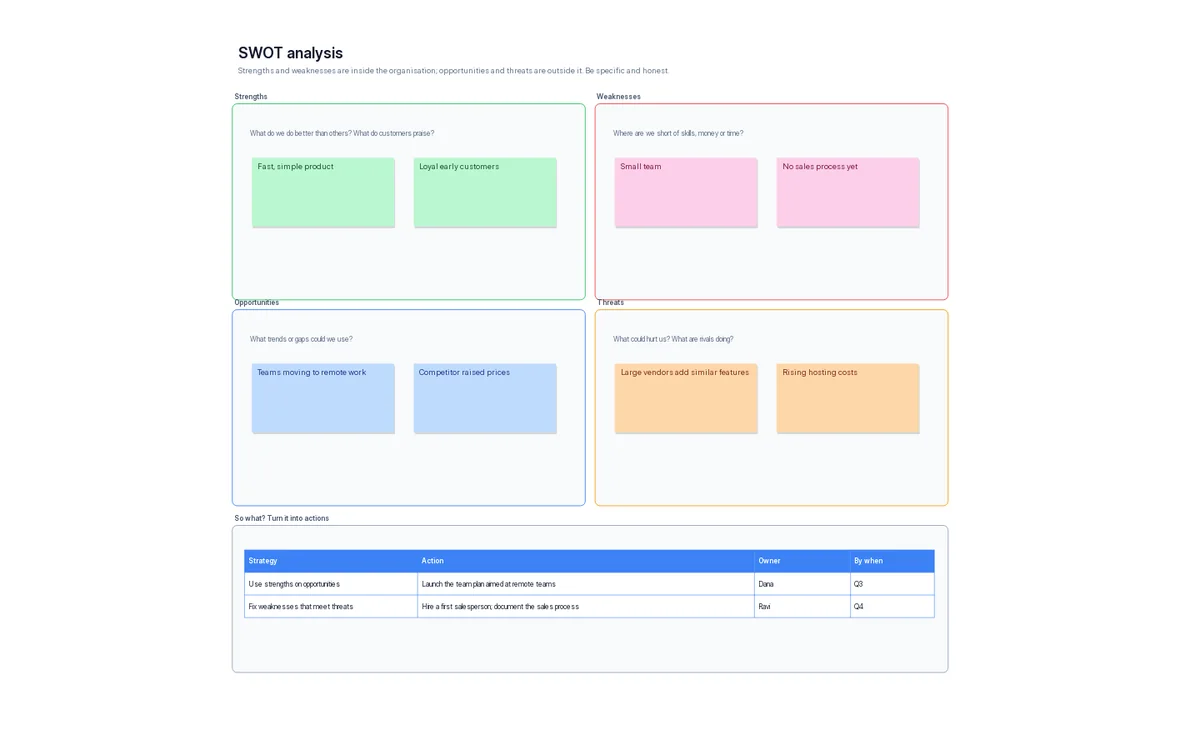
- SWOT analyses
- Process maps
- Brainstorms
One canvas, three ways to think
Free-form drawing, mind maps and flowcharts live on the same board, so a plan, its reasoning and its process never get separated.
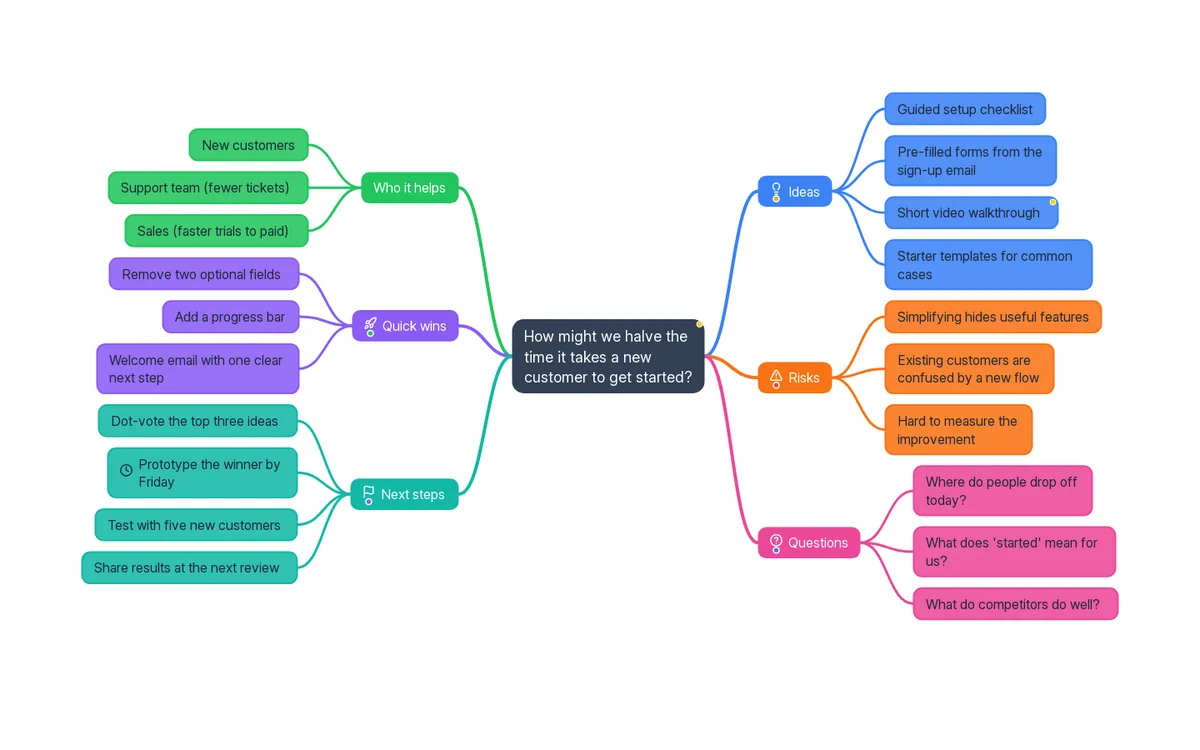
Map your ideas
Type the central idea, press Tab for a branch and Enter for the next one. Branches pick up their own colours and icons, the map arranges itself, and you can fold away whole branches when the conversation moves on.
- Built for the keyboard, with an outline view of the same map
- Drag a branch to move it; paste a list and it becomes a map
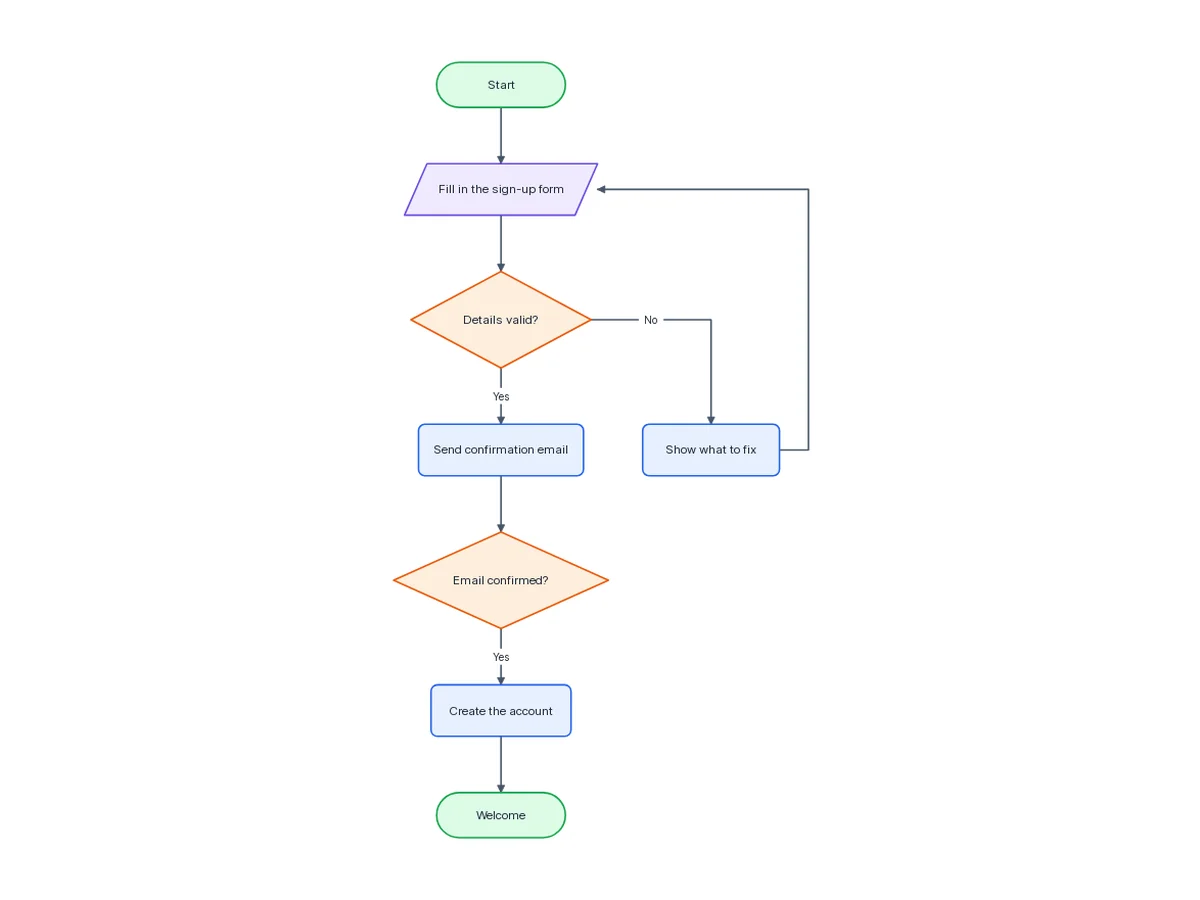
Draw the process
Add a step after the selected one with a single key. Decisions get Yes and No branches, arrows route themselves around other steps, and Tidy up lays the whole chart out again in one move you can undo.
- Start, process, decision and input or output steps
- Top to bottom or left to right, with optional step numbers
Lay it all out
Shapes, text, sticky notes, tables, icons and pictures on an infinite canvas. Lines stay attached when you move things, frames name the sections, and a small map in the corner keeps you oriented on a big board.
- A shape library for architecture, flows and wireframes
- Snapping guides, grouping, alignment and undo that works
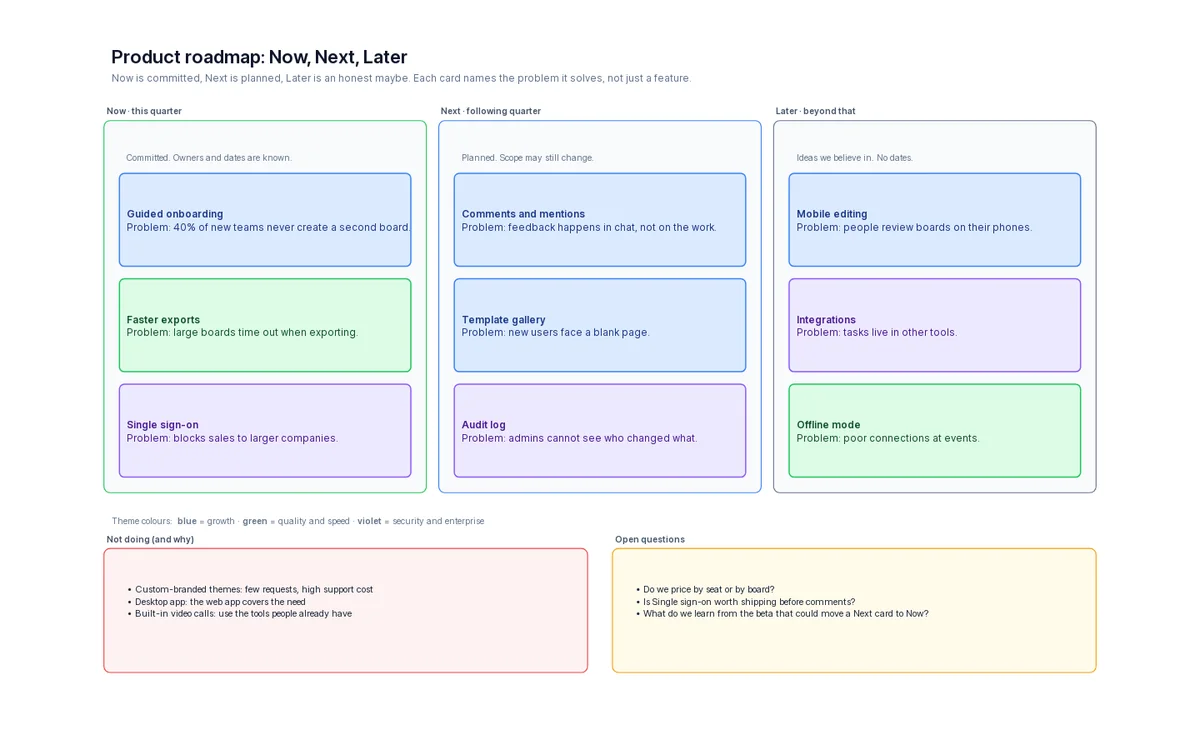
Don’t start from a blank page
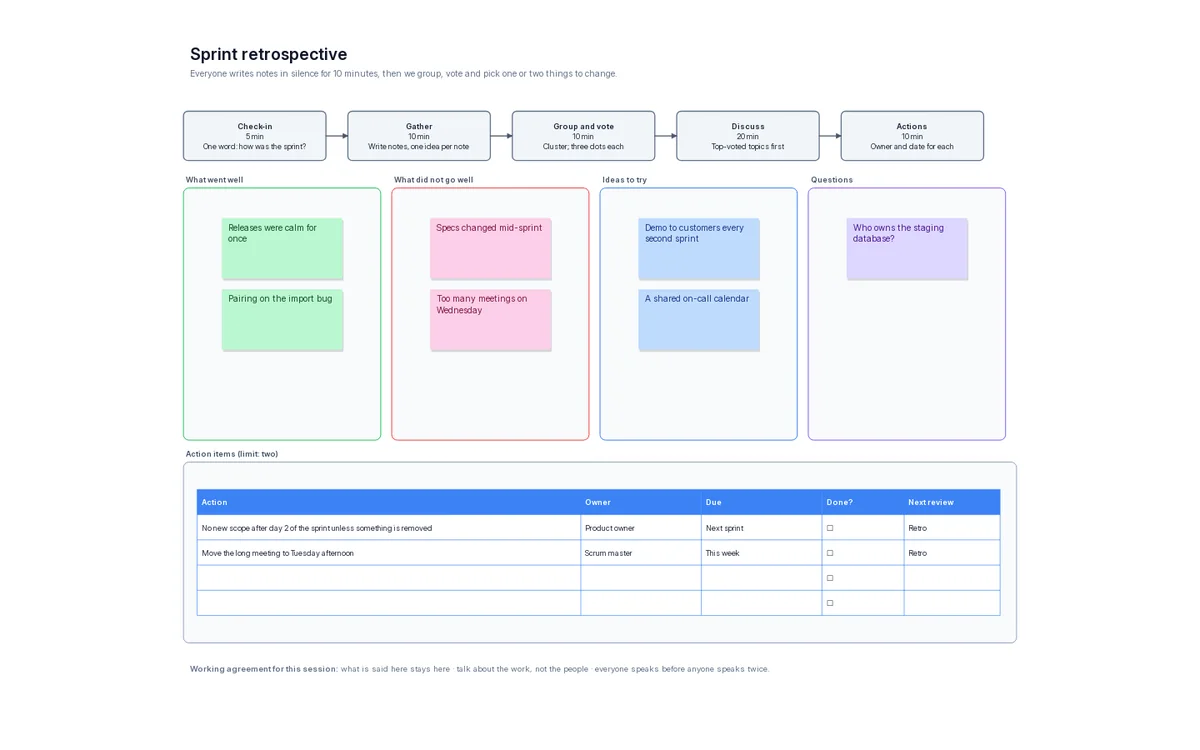
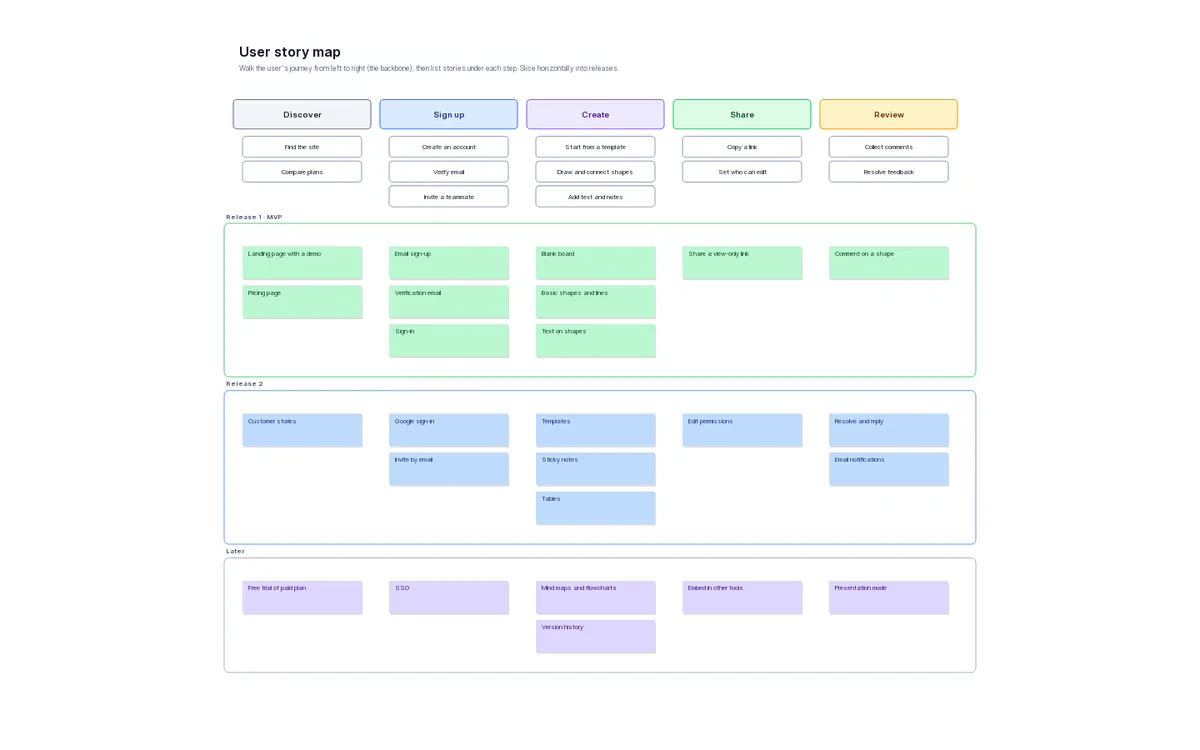
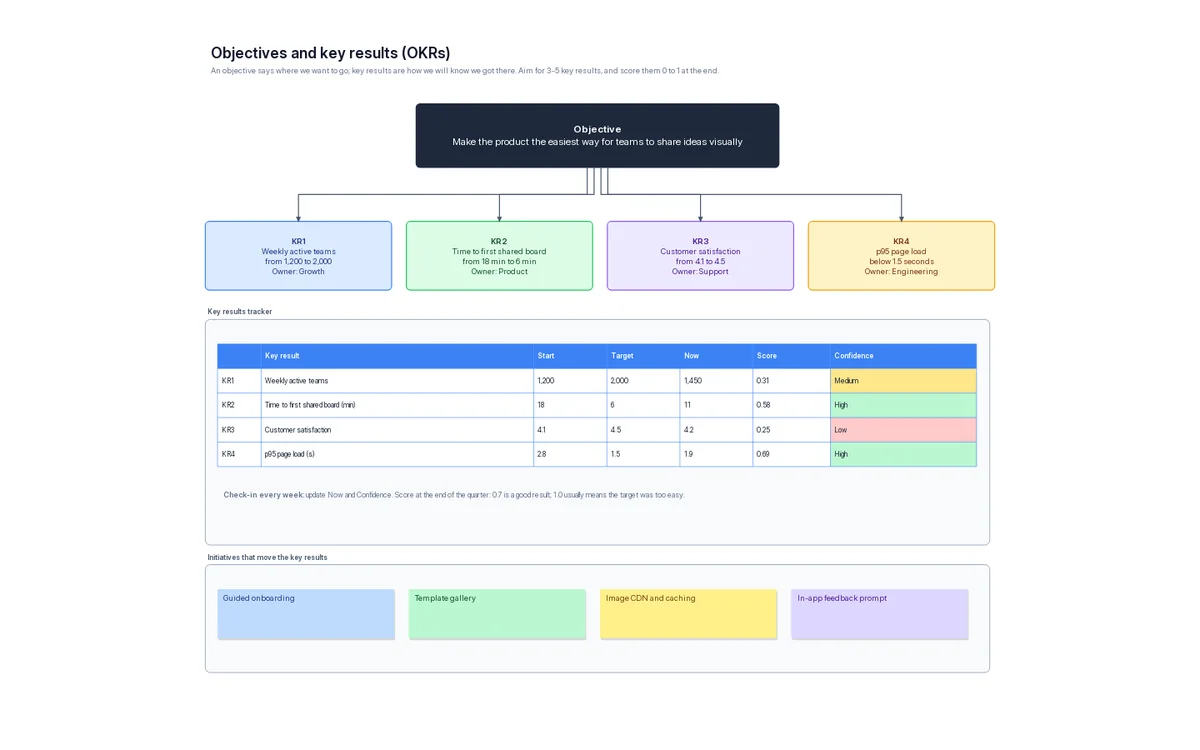
About forty ready-made templates for planning, retros, journeys, org charts, architecture and more. Each one becomes your own copy to change however you like.
Better together, and not in each other’s way
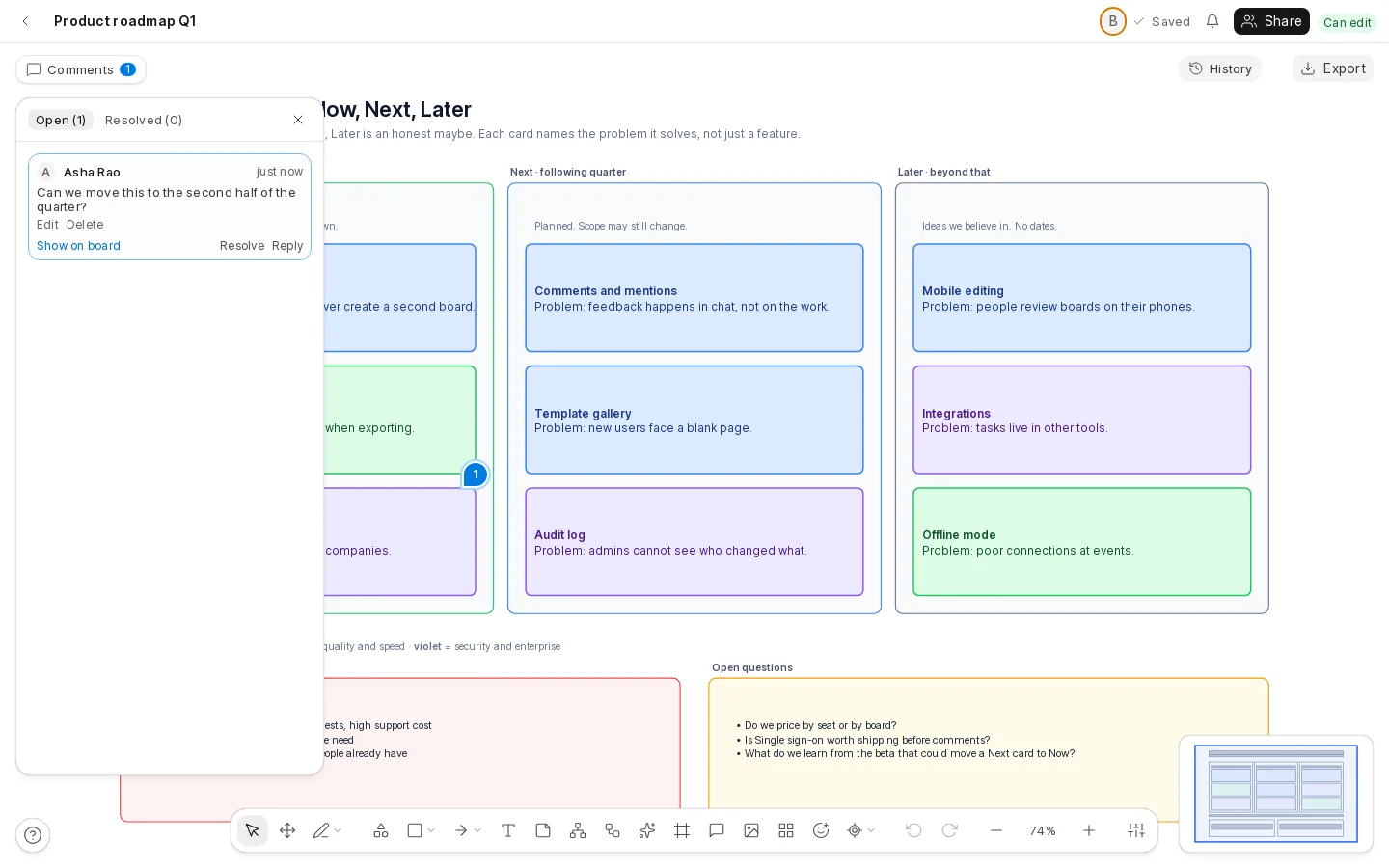
Everyone sees the same board at the same moment, and nobody overwrites anyone.
Describe it. Get a first draft.
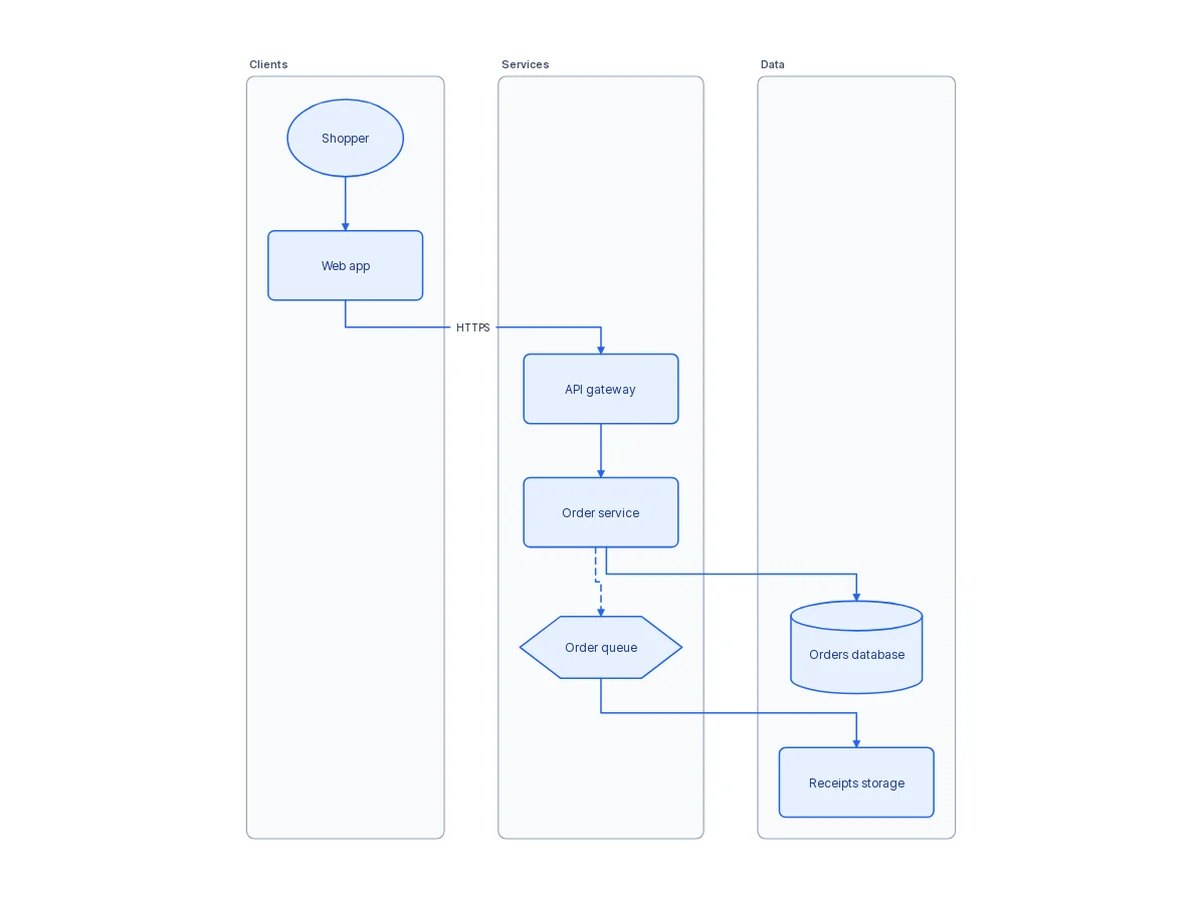
Write what you want in plain words and Oqiva draws a flowchart, an architecture diagram or a mind map in free space on your board.
- It arrives as one step, so Undo takes it away
- Only the text you type is sent. Nothing else on your board is
- Off until your administrator turns it on
Yours to run
Oqiva is a Frappe app. It installs next to your other apps and uses the users, roles and backups you already have.
- Boards live in your database, on your server
- Every permission is checked on the server, never only in the browser
- MIT licensed: read it, change it, run it
Bring your team’s thinking onto one canvas.
Tell us about your setup at support@oqiva.in and we will help you get started, whether you already run Frappe or not.